
 Join our Discord
BZK Hunt Wagon
Advanced hunting wagon system for RedM/VORP/RSG.
📋 Features
- Hunting Wagon Ownership: Each player can own, store, and sell a hunting wagon.
- Animal Storage: Store up to 8 animals per wagon, with quality (1-3 stars) and looted/skinned detection.
- Pelt Chest: Store up to 30 pelts, with grouping by type and quality, and configurable limits.
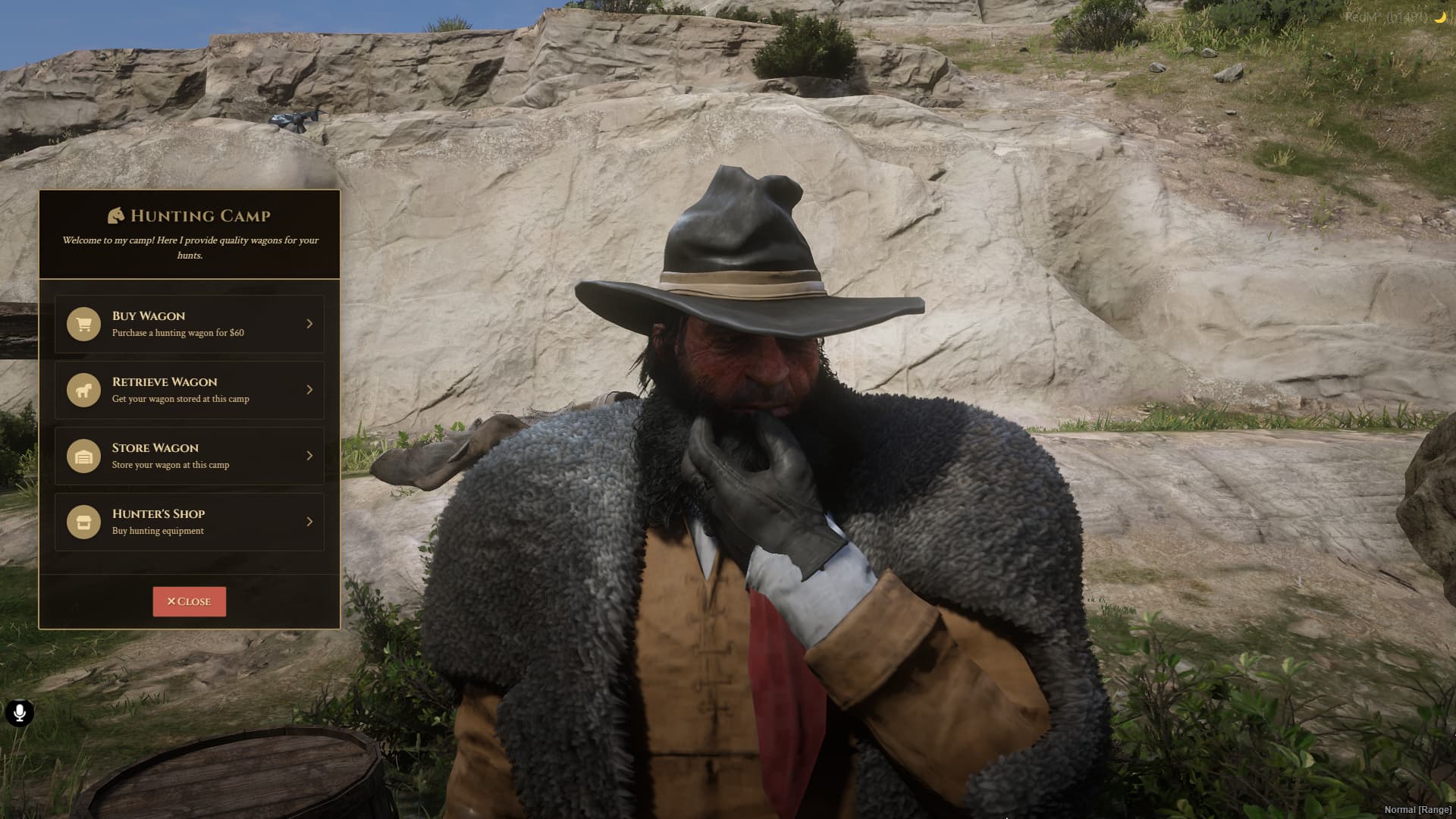
- Modern NUI Interface: Responsive, clean, and easy to use.
- NPC Interaction: Buy, spawn, store, and sell wagons via camp NPCs.
- Hunter Shop: Buy hunting items and weapons directly from the camp.
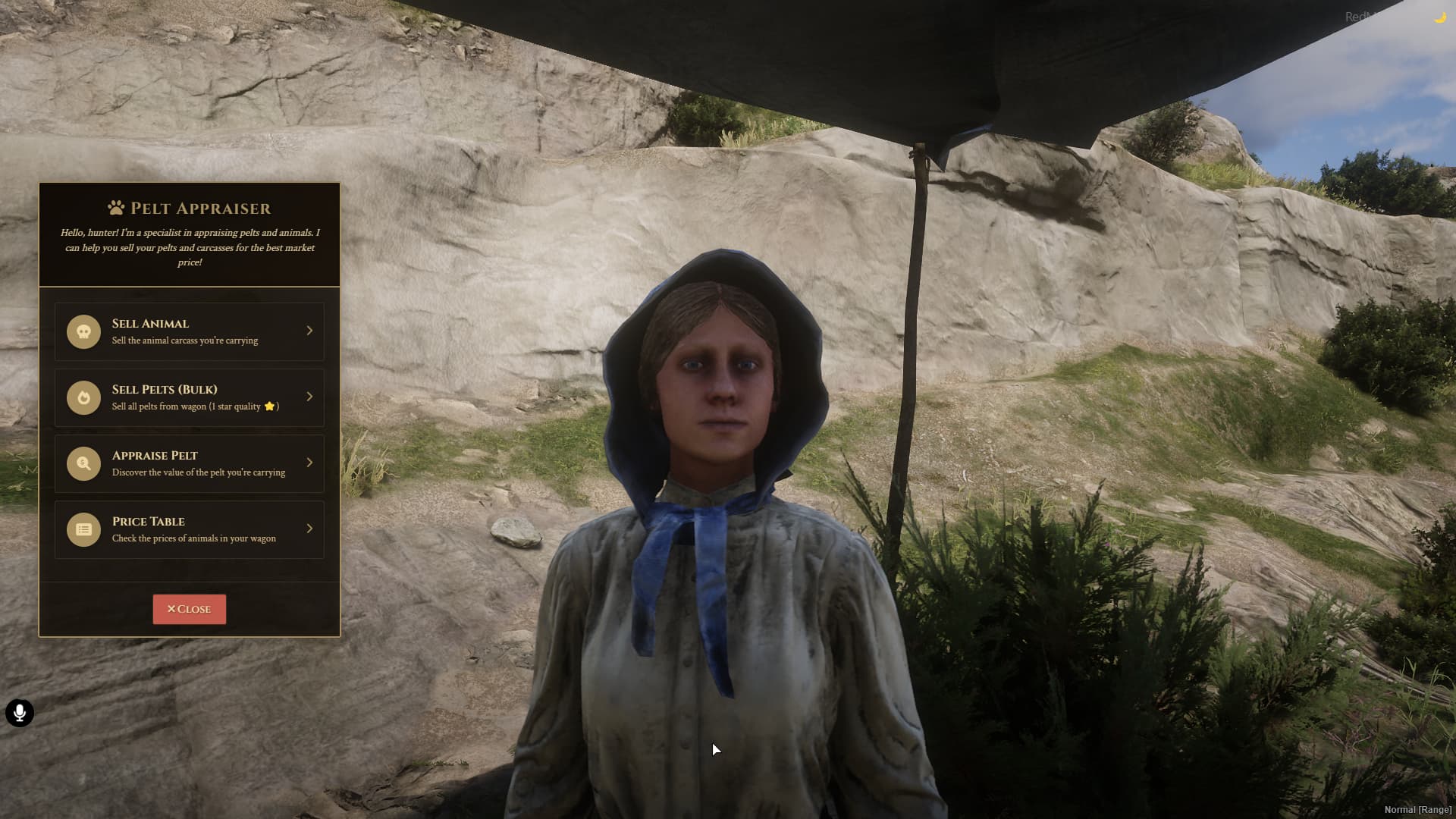
- Pelt Appraiser: Sell pelts individually or in bulk, with price based on quality.
- Inventory Integration: Compatible with VORP Inventory and RSG Inventory.
- Framework Compatibility: Works with VORP Core and RSG Core.
- MySQL Integration: Persistent storage for wagons, animals, and pelts.
- Notification System: Built-in, no dependencies required.
🎮 How to Use
For Players
- Approach a hunting camp NPC to open the main menu.
- Buy a hunting wagon (if you don’t own one).
- Spawn or store your wagon at the camp.
- Store animals and pelts in your wagon.
- Access the wagon’s inventory or pelt chest.
- Sell pelts at the appraiser NPC.
- Use the hunter shop to buy hunting items.
For Administrators
- All configuration is done via
config.lua. - No admin commands are required for normal operation.
⚙️ Configuration
Edit the config.lua file to adjust prices, limits, and locations.
Example: Basic Settings
Config.Framework = 'VORP' -- or 'RSG'
Config.Locale = 'en-us' -- or 'pt-br'
Config.WagonPrice = 60 -- Price to buy a wagon
Config.WagonSellRate = 0.5 -- Sellback rate (50%)
Config.TotalAnimalsStored = 8 -- Animals per wagon
Config.WagonInventoryMaxWeight = 150000 -- Max inventory weight
Config.WagonInventorySlots = 12 -- Inventory slots
Config.PeltLimits = {
    maxQuantityPerType = 3,     -- Max pelts of same type/quality per slot
    maxDifferentTypes = 10,     -- Max different pelt types/slots
    totalMaxPelts = 30          -- Max total pelts in chest
}
Example: Hunter Locations
Config.HunterLocations = {
    {
        name = 'Hunting Camp',
        location = 'huntercamp1',
        coords = vector3(181.16, 340.88, 120.62),
        npcmodel = `casp_hunting02_males_01`,
        npccoords = vec4(180.35, 348.55, 120.62, 178.85),
        wagonspawn = vector4(177.67, 332.28, 120.13, 234.47),
        showblip = true
    },
    -- Add more camps as needed
}
Example: Shop Items
Config.HuntingShop = {
    { name = 'weapon_melee_knife', price = 3, amount = 50 },
    { name = 'weapon_lasso', price = 2, amount = 50 },
    { name = 'weapon_bow', price = 10, amount = 50 },
    { name = 'ammo_arrow', price = 0.6, amount = 50 },
    { name = 'weapon_kit_binoculars', price = 10, amount = 50 },
    { name = 'goldwatch', price = 25, amount = 20 },
    { name = 'horselantern', price = 15, amount = 30 },
    { name = 'pickaxe', price = 15, amount = 30 },
}
🔧 Dependencies
- VORP Core or RSG Core (main framework)
- VORP Inventory or RSG Inventory (inventory system)
- oxmysql (database)
- rsg-target (optional, for target system)
🚀 Installation
- Download the resource.
- Place it in your server’s
resourcesfolder. - Configure the framework, locations, and shop in
config.lua. - Add
ensure bzk-huntwagonto yourserver.cfg. - Restart your server.
🔄 Compatibility
- Supported Frameworks: VORP Core and RSG Core
- Inventory: VORP Inventory and RSG Inventory
- Notification: Built-in, no external scripts required
- Language: English and Portuguese (see
locales/)
Quick setup:
Config.Framework = 'VORP' -- or 'RSG'
🆘 Support
For questions or support, contact us via Discord.
 Get it now!
📄 License
This project is under the MIT license. See the LICENSE file for more details.